


Themie: Wallpapers & Themes
4.6825.00 Reviews
App Specs
- Version
- 32.0
- Updated On
- License
- Free
- Downloads
- 10,000,000+
- Developer
- Lutech Mosaic
- Categories
- Personalization
- Platform
- Android
Screenshots
 Analysis by AppCompare
I tend to judge a personalization app by what it lets me change and how much control I keep over the result. Themie: Wallpapers & Themes is aimed at people who want their phone to feel less like a default setup and more like their own space. Its focus is visual customization, so the appeal is easy to understand: browse, preview, and settle on a look that suits you rather than changing your whole routine.
That focus also makes it worth approaching with practical expectations. A theme can make a home screen feel more coherent, but it does not automatically improve how a phone works. I would treat the visual choices as the main attraction and take a moment to check what a selected design changes before applying it. That simple habit matters if you rely on familiar icons, need clear contrast, or prefer not to reorganize a home screen you already know well.
What I would check before committing
When I try any app that changes a device’s appearance, I separate browsing from applying. Looking through designs is low commitment; making one the everyday setup is a different decision. I would preview a theme against the apps I use most and ask whether its colors and icon treatment make those apps easier or harder to spot. A striking design is less useful if it slows down a quick check of messages or a calendar.
It is also sensible to make one change at a time. If you are comparing wallpapers, icon styles, and widget arrangements, changing everything together makes it difficult to tell which part you actually like. I would first pick a background, live with it for a little while, and then decide whether the rest of the look needs adjusting. This is a small workflow tip, but it avoids turning customization into a cycle of undoing and redoing.
Where it fits among personalization options
The usual alternative is to change a wallpaper directly through the phone’s built-in settings. That is often the fastest choice if all you want is a new background and you do not care about coordinating the rest of the screen. Themie makes more sense when you want to explore a broader visual direction, rather than simply replace one image. In return, browsing more possibilities can take longer than choosing a wallpaper you already have saved.
Another route is to assemble a look manually using separate wallpaper, icon, and widget tools. That can suit someone who wants precise control and enjoys comparing individual elements, but it also means more decisions and more switching between sources. I see the attraction of a themed app as convenience and inspiration: it gives you a place to look for a joined-up style. If you already have a carefully tuned setup, though, a single-purpose wallpaper picker may be the less disruptive option.
A useful routine for everyday use
Picture a typical morning: you unlock your phone to check the weather, messages, and calendar before leaving. A bold background might look great in a preview, but the real test is whether those everyday icons remain easy to recognize in a hurry. I would try a candidate theme during a quiet moment, check the screen in both bright and dim surroundings, and keep a familiar arrangement if speed matters more than novelty.
Worth Reading Before You Choose

Flipboard Shows What News Apps Must Do Beyond the Feed

Switching to Android Auto Means Rethinking Your Driving Routine

Google Calendar Makes a Crowded Week Easier to Manage

Ludo King Makes the Most of the Minutes Between Plans

Baby Panda World Brings Quick Play to Modern Phones, but Its Game Library Feels Busy

ESPN’s Live Game View Makes Following Close Games Easier
For a more deliberate refresh, I would save the current appearance in my own notes or take a screenshot before experimenting. That gives me a visual reference if I decide the new style is not practical. I would also avoid changing the setup just before a busy day: a little time to get used to a different layout can be worthwhile, particularly for someone who taps familiar locations without looking closely.
Trust, choices, and sensible caution
For me, trust is not something I can infer from attractive artwork or a polished interface. I look at the choices an app presents, the permissions it requests, and the privacy information available at the point of use. I would review those details on my device before going beyond browsing, and grant only permissions that make sense for the action I choose. I would not assume that a personalization app needs access to unrelated parts of a phone.
It is equally useful to notice where a choice leads before confirming it. If a screen offers a theme, a preview, or an option to apply changes, I would read the labels rather than tap through automatically. People who prefer not to create accounts, share information, or accept optional prompts should take their time and use the controls actually shown in the app and on their device. The point is not to presume a particular data practice; it is to make an informed choice instead of treating customization as consequence-free.
Who is likely to enjoy it
The app is a natural fit for someone who likes refreshing a phone’s appearance, enjoys browsing visual styles, and is happy to spend a little time deciding what works. It may also help if you have been staring at the same home screen for months and want ideas before making a change. On the other hand, if you only want one plain wallpaper, or you value a stable, familiar layout above visual variety, the phone’s built-in settings may already do the job with less exploration.
I would be more cautious if you depend on high-contrast, highly legible screens or need every icon to remain exactly where you expect it. Aesthetic choices are personal, and a design that feels calm to one person may be distracting to another. Previewing and testing in your normal routine is more useful than assuming a popular style will suit your eyes, habits, or device.
Cost and practical expectations
Themie is a free personalization app from SebastianBona, with optional in-app purchases priced from $0.99 to $19.99 per item. I would browse first and decide whether the available choices meet my needs before spending anything. If you are considering a paid item, check its displayed details and any purchase confirmation carefully; there is no need to buy something simply because it appears alongside free choices.
It has a 4.7 average from around 27,000 ratings, and has been installed over a million times. Those figures suggest that many people have tried it, but they cannot tell you whether its particular visual style or workflow suits you. It is rated for Everyone, version 13.0, and requires Android 7.0 or later. The app was released on October 19, 2025, so anyone checking compatibility should compare that minimum with the Android version on their own device.
The questions I would answer for myself before settling on it are straightforward: Can I find a look I genuinely want to keep? Do the available choices preserve the screen clarity I need? Am I comfortable with the permissions and prompts shown when I use it? And does browsing feel worthwhile compared with changing a wallpaper directly? Taking those questions one at a time is a better way to decide than downloading a personalization app just because a sample image catches your eye.
Unleashing Creativity with Themes
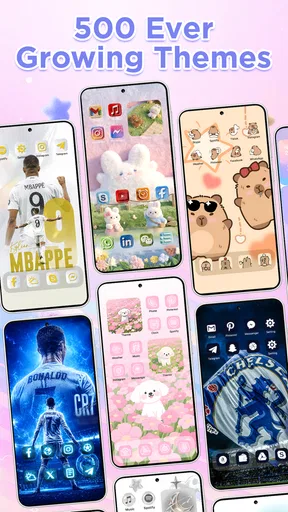
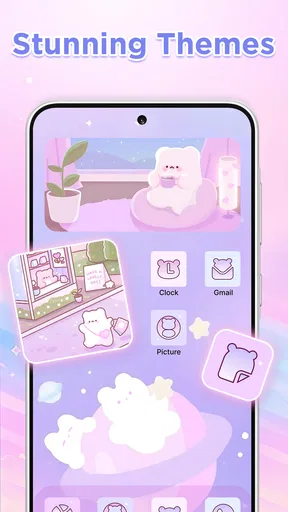
First things first, Themie is all about giving your device a makeover. Whether you want something sleek and minimalist or vibrant and lively, this app has got you covered. The theme library is vast, and I mean really vast. I spent a good chunk of time just browsing through the options.
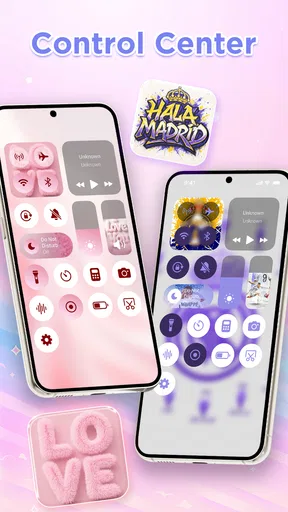
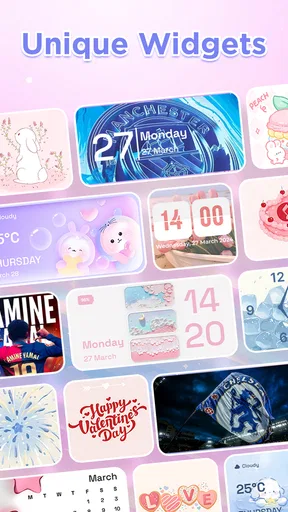
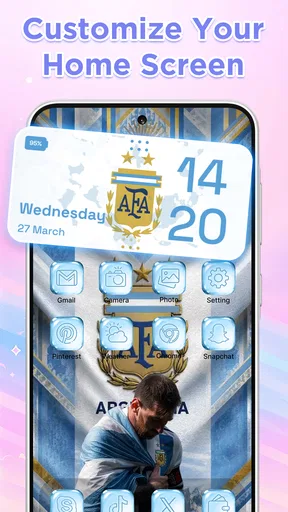
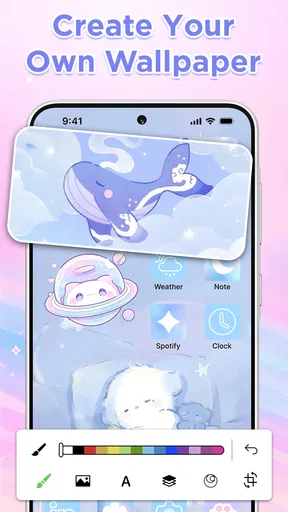
One feature that stood out is the ability to customize themes. You don’t just have to pick something off the shelf; you can tweak it to suit your style. Swap out a wallpaper, change the icon shapes, or adjust the color palette. It’s like having a mini design studio in your pocket. I had a blast experimenting with different combinations.
Wallpaper Wonderland
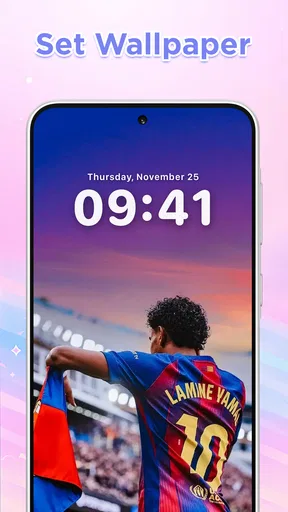
The wallpaper selection in Themie is nothing short of a wonderland. From stunning landscapes to abstract art, there’s something for everyone. I particularly loved the dynamic wallpapers that change throughout the day. It’s a subtle touch that keeps things interesting.
If you’re someone who likes to match your mood with your wallpaper, you’ll appreciate the mood-based collections. Feeling zen? There’s a collection for that. Want something energizing? They’ve got you covered there too. The variety ensures that boredom is never an issue.
Easy Navigation and User-Friendly Interface
I have to say, navigating through Themie is a breeze. The user interface is intuitive, making it easy for anyone to dive right in. All the categories are neatly organized, and the search function is quite handy when you’re in the mood for something specific.
One thing I appreciated was the preview feature. Before committing to a theme or wallpaper, you can see how it’ll look on your device. It’s a small feature, but it makes a big difference in ensuring you’re satisfied with your choices.
Staying Updated with New Trends
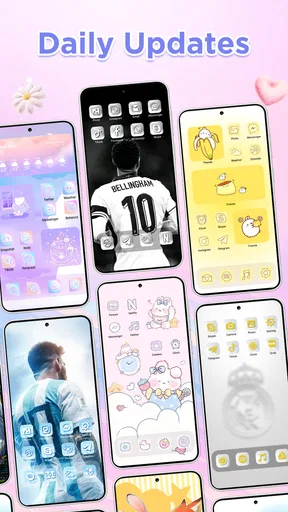
The folks behind Themie seem to know what they're doing when it comes to keeping up with trends. Regular updates bring in new collections and themes, often inspired by current events or popular culture. It’s like they have a finger on the pulse of what’s trending, which keeps the app feeling fresh and relevant.
There’s also a section dedicated to seasonal themes. As someone who loves celebrating holidays and seasons, I found this feature delightful. Switching to a cozy winter theme during the colder months added a nice touch of festivity to my device.
Final Thoughts
In wrapping up my review, I have to say Themie: Wallpapers & Themes exceeded my expectations. It’s more than just an app for wallpapers and themes; it’s a tool for self-expression and creativity. Whether you’re a design enthusiast or just someone who likes to keep things visually appealing, this app is worth checking out.
So, if you’re ready to give your phone a new look, why not give Themie a spin? You might just find yourself spending hours crafting the perfect theme. And trust me, your phone will thank you for it!
Pros
- Wide variety of themes available.
- High-quality
- vibrant wallpaper designs.
- User-friendly interface and navigation.
- Regular updates with new content.
- Customizable options for personalization.
Cons
- Limited free content; many premium options.
- Ads can be intrusive at times.
- Requires internet for full functionality.
- Occasional app crashes reported.
- Some themes lack originality.
FAQs for Themie: Wallpapers & Themes
What features does Themie: Wallpapers & Themes offer?
Themie offers a vast collection of high-quality wallpapers and themes to personalize your device. It includes dynamic wallpapers, theme packs for cohesive looks, and a user-friendly interface for easy navigation. The app also provides regular updates with new content and allows users to save their favorites for quick access.
Is Themie: Wallpapers & Themes free to use?
Themie is available as a free download with basic features accessible to all users. However, it offers in-app purchases for premium content, including exclusive wallpapers and theme packs. A subscription option is available for those who want unlimited access to the full range of exclusive features.
How often is new content added to Themie?
The app is regularly updated with new wallpapers and themes to keep your device looking fresh and stylish. Typically, new content is added weekly, ensuring a constant flow of new options for users to explore. Notifications can be enabled to alert users when new updates are available.
Can I use Themie on both Android and iOS devices?
Yes, Themie is designed to be compatible with both Android and iOS platforms. Users can download the appropriate version from the Google Play Store or Apple App Store, ensuring a seamless experience across different operating systems with consistent features and performance.
How does Themie impact my device's battery life?
Themie is optimized for minimal impact on battery life. While dynamic wallpapers may use slightly more power than static ones, the app is designed to manage resources efficiently, ensuring that your device's battery performance remains largely unaffected by its use.


